|
|
Project Five
Format
There are various types of graphics file formats. There are some that
are specifically used for pictures or graphics on the Web. Actually, you
can add pictures with the following file formats: GIF (standard and
animated), JPEG (standard and progressive), BMP (Windows and OS/2), TIFF,
TGA, RAS, EPS, PCX, PNG, PCD (Kodak Photo CD), and WMF.
The formats that are generally used for Web pages are
- GIF, Graphics Interchange Format
Pictures in GIF format can contain up to 256 colors and a re called
8-bit graphics. One useful aspect
of GIF pictures is that you can select one color to be transparent.
- JPEG, Joint Photographic Expert Group format
The JPEG format is commonly used for photo-realistic pictures
containing thousands or millions of colors. JPEG pictures are useful
because you can control the file compression by changing the picture
quality. The lower you set the quality, the higher the file compression
will be, and, as a result, the file size is decreased. You can't make any
part of a JPEG file transparent. JPEG file can contain up to 16.7
million colors (24-bit).
and recently
- PNG, Portable Network Graphics
PNG (pronounced PEENG) is a file format for
compressed graphic images that, in time, is expected to replace the GIF
format that is widely used on today's Internet. Like a GIF, a PNG file is compressed in lossless fashion (meaning
all image information is restored when the file is decompressed during
viewing). A PNG file is not intended to replace the JPEG
format, which is "lossy" but lets the creator make a
trade-off between file size and image quality when the image is
compressed. Typically, an image in a PNG file can be 10 to 30% more
compressed than in a GIF format.The PNG format is an alternative to GIF that supports transparency for
pictures containing thousands or millions of colors. However, some Web
browsers cannot display PNG pictures without a special plug-in.
Terminology
There is a distinction de be made when describing graphics. There are
two ways to create graphics;
- Pixel-Based
Applications that let you use tools like pencils, erasers, brushes are
called bitmapped or raster programs. Each pixel of the graphic can be
edited.
- Math-Based
Applications that can draw shapes with handles on them are called
object-oriented or vector programs. The file structure is based on
mathematical formulas.
GIF versus JPEG
Example 1
|
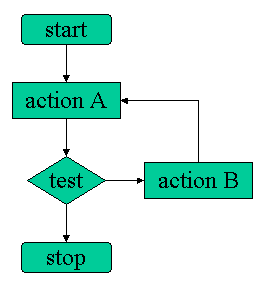
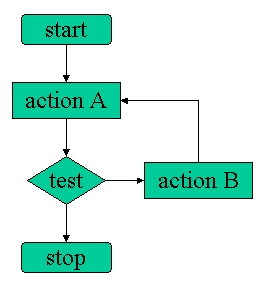
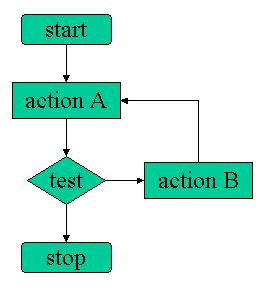
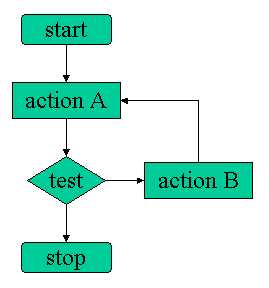
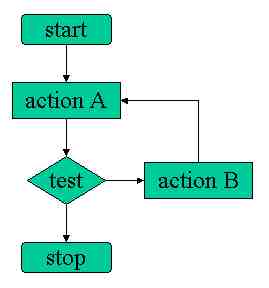
| This is a flat picture, with a limited
number of colors, but sharply defined objects. The compression
does not even improve the size of the picture, and the pictures
becomes less readable as compression ratio increases. |
GIF
2kb |
 |
JPEG (100%)
19kb |
 |
JPEG (75%)
9kb |
 |
JPEG (50%)
7kb |
 |
JPEG (25%)
5kb |
 |
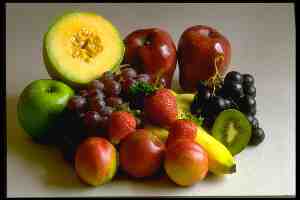
Example 2
|
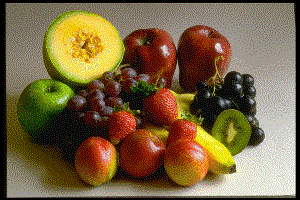
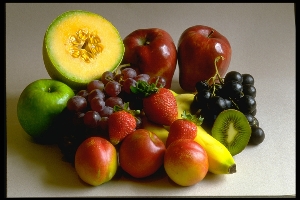
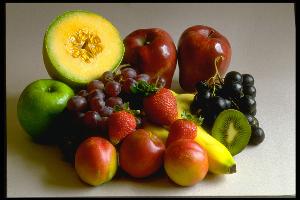
| This is a color-rich picture,
where GIF format is limited and does not render all colors
correctly. JPEG, despite a distorted and blurred detail in
heavily compressed samples, preserves an illusion of sharpness,
thanks to the 24-bit encoding. |
GIF
32kb
(9sec@28.8kbps) |
 |
JPEG (100%)
53kb
(15sec@28.8kbps) |
 |
JPEG (75%)
12kb
(3sec@28.8kbps) |
 |
JPEG (50%)
8kb
(2sec@28.8kbps) |
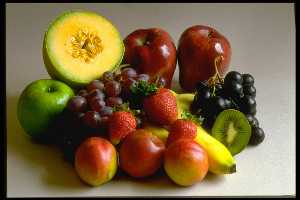 |
JPEG (25%)
6kb
(1.5sec@28.8sec)) |
 |
More Examples
|
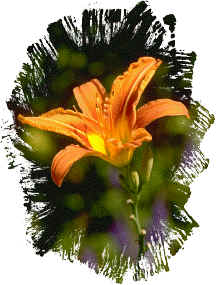
| This image with its subtle shades would be best as a
JPEG |
 |
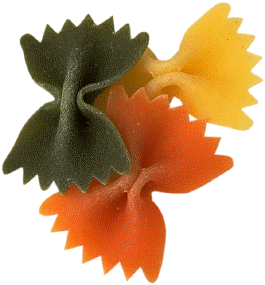
| This picture. with its flat colors would be best as
a GIF |
 |
This is a picture saved as a GIF
28kb
(7.5sec@28.8kbps)) |
 |
This is a picture saved as a JPEG
8kb
(2sec@28.8kbps) |
 |
|